Browse unseen.
A private browser with a built-in AI assistant. No trackers, no accounts, no telemetry. Nothing you do leaves your device.
Download for Android· 5 MBRequires Android 8 or newer. Installs in under a minute.
Inside the app.
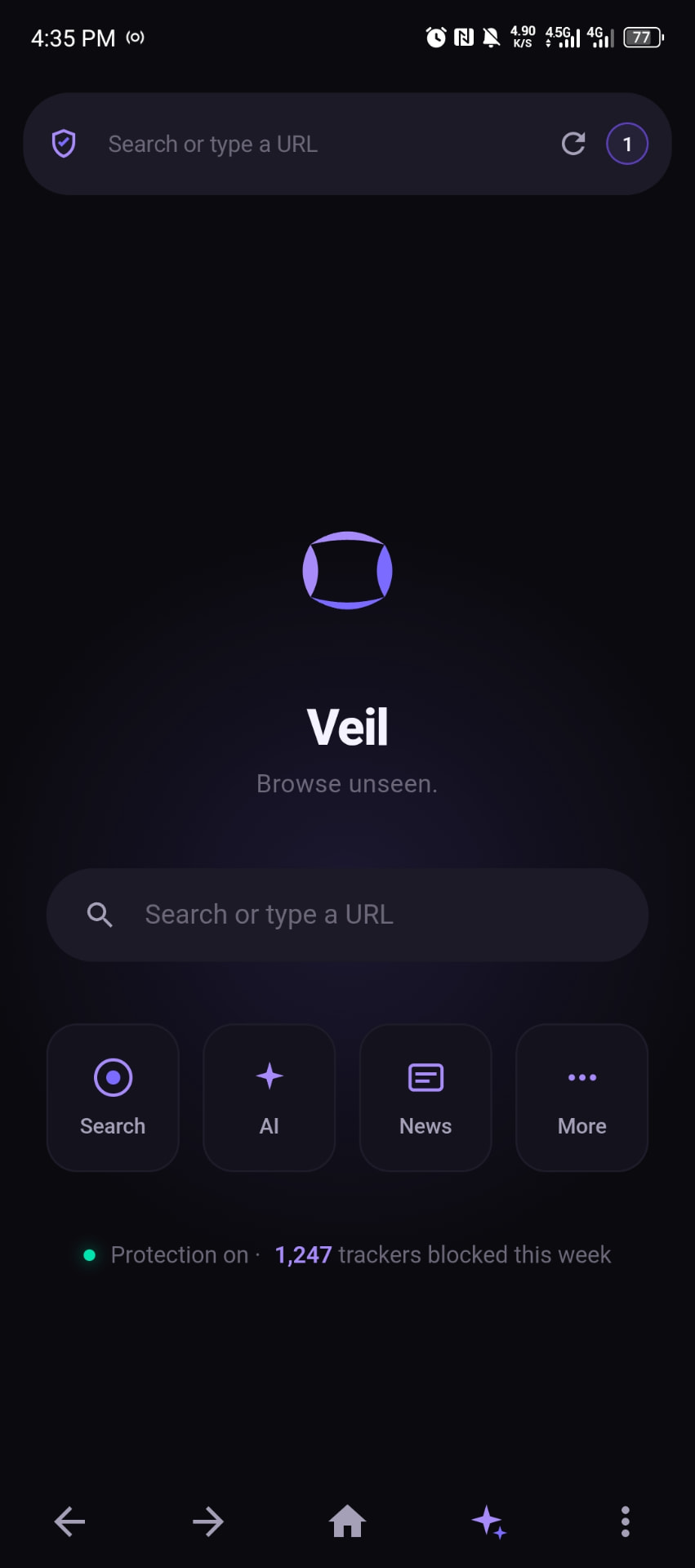
Privacy is the default.
Trackers blocked at the network layer
Ad networks, analytics scripts, fingerprinting — refused before they load. Pages load faster because there's less to load.
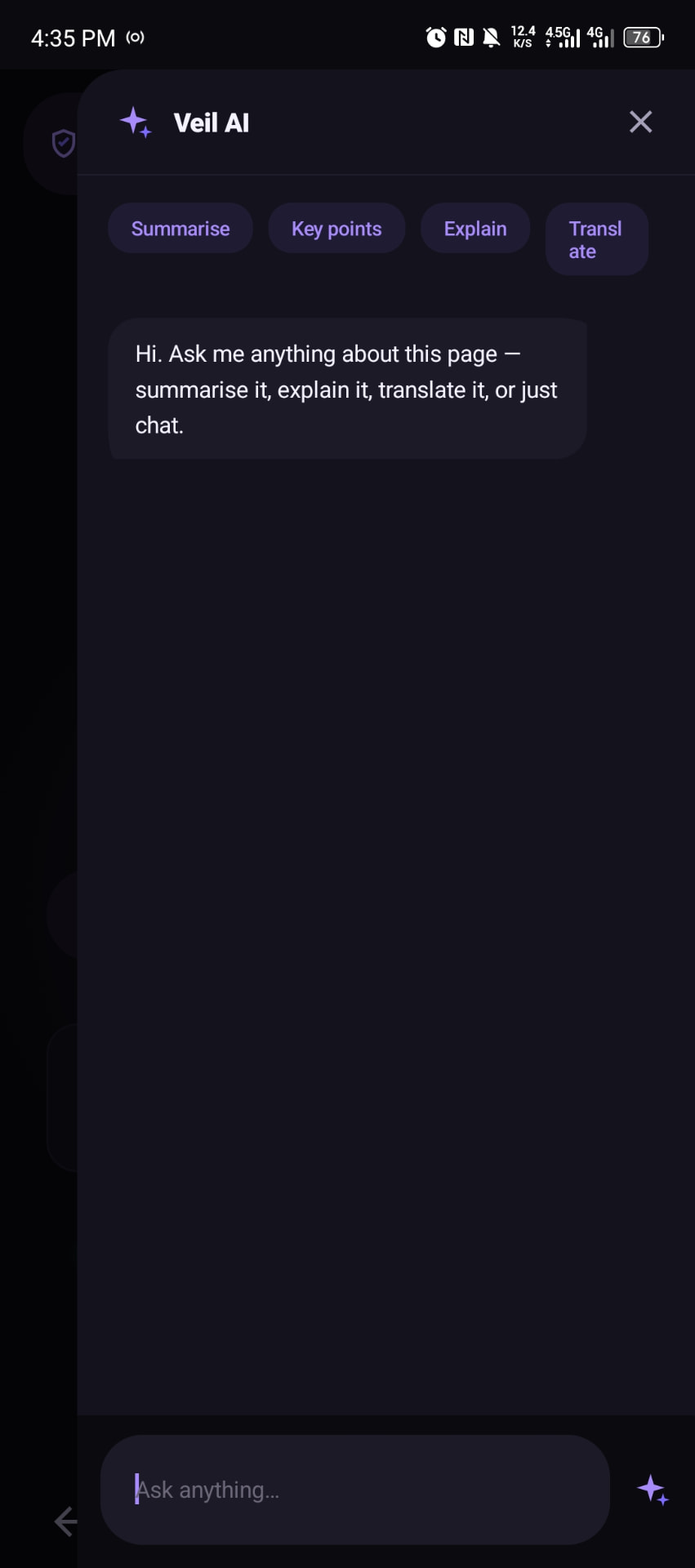
Built-in AI assistant
Summarise any page, translate it, or ask questions without leaving the tab. Private — your reading history stays on your device.
No accounts. No sign-in. No server.
Veil doesn't have an account system because it doesn't need one. There's no server to leak, because there is no server.
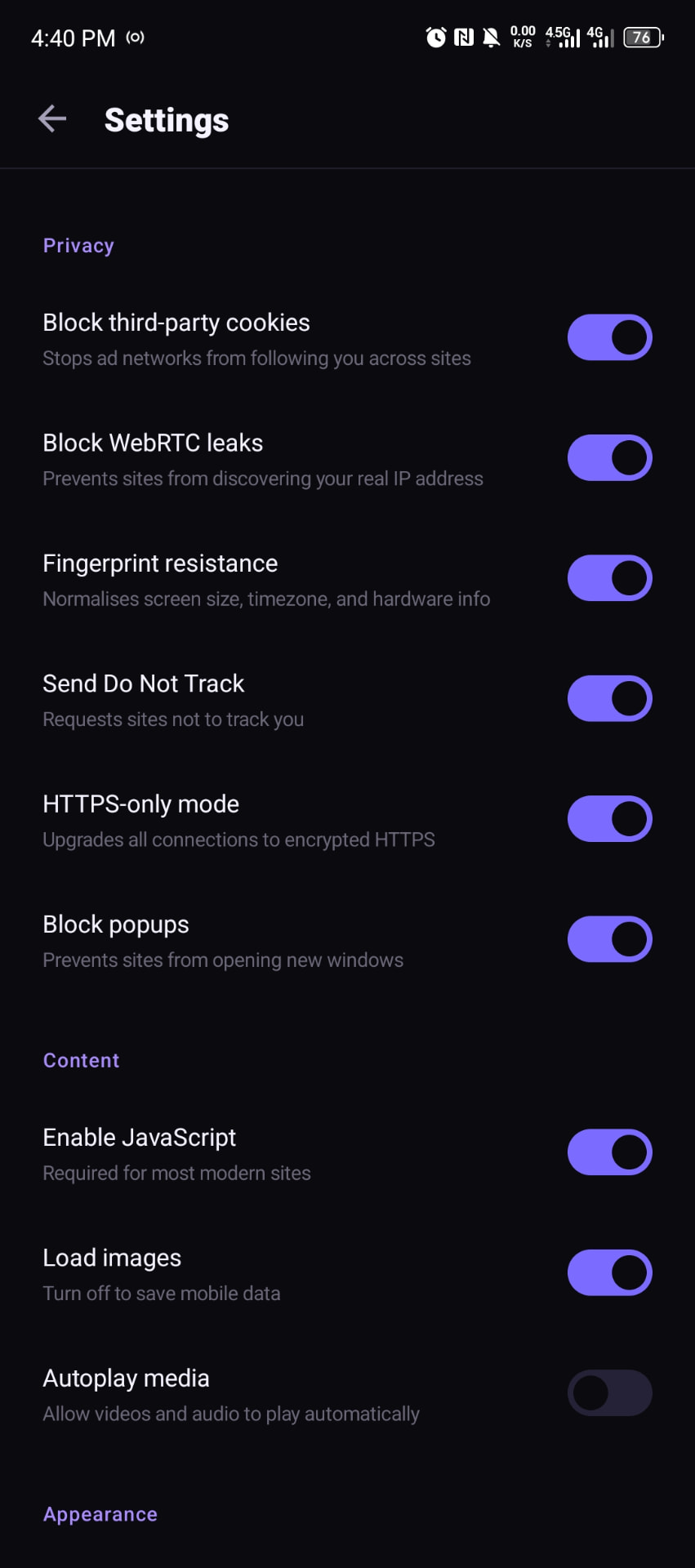
HTTPS-only, WebRTC blocked, cookies isolated
Sensible privacy defaults are on from first launch. Every toggle is real and can be changed in Settings.
Three steps. That's it.
Tap download
The APK is 5 MB. It installs in seconds.
Allow unknown sources
Standard for any app outside the Play Store. One toggle.
Start browsing
Search, tabs, bookmarks, downloads, private tabs — everything works.
Questions, answered.
Why isn't this on the Play Store?
Google restricts browsers that change the default search engine and browser experience from what they'd like. Veil is distributed directly so it can be built exactly the way it should be — no compromises for store review.
Is it really free? What's the catch?
Free, no ads, no accounts, no upsells. Veil doesn't collect anything, so there's nothing to monetise. It's a browser built by people who want a clean one to exist.
How do updates work?
Veil checks a small version file on launch and notifies you if there's a newer build. Updates install the same way the original did — one tap.
What does the AI assistant use?
Open-weight language models served through a private endpoint. Your questions and page context are sent only when you actively use the assistant — never in the background.
Will you ever sell my data?
There is nothing to sell. Veil has no analytics, no crash reporting, no telemetry. The app communicates with two services when in use: the AI assistant and an update check.
How do I install it?
Tap the download button. Android will warn you about installing from an unknown source — that's standard. Allow it once and Veil installs like any other app.